1
Start with project setup
Enter a handful of stable project details first. From there, Prep takes you straight into the tool so you can start shaping assumptions, modifiers, timing, and scope.
Start with a handful of critical assumptions and shape the schedule.
The budget reacts to the same logic so you can test balance early.
Enter a handful of stable project details first. From there, Prep takes you straight into the tool so you can start shaping assumptions, modifiers, timing, and scope.
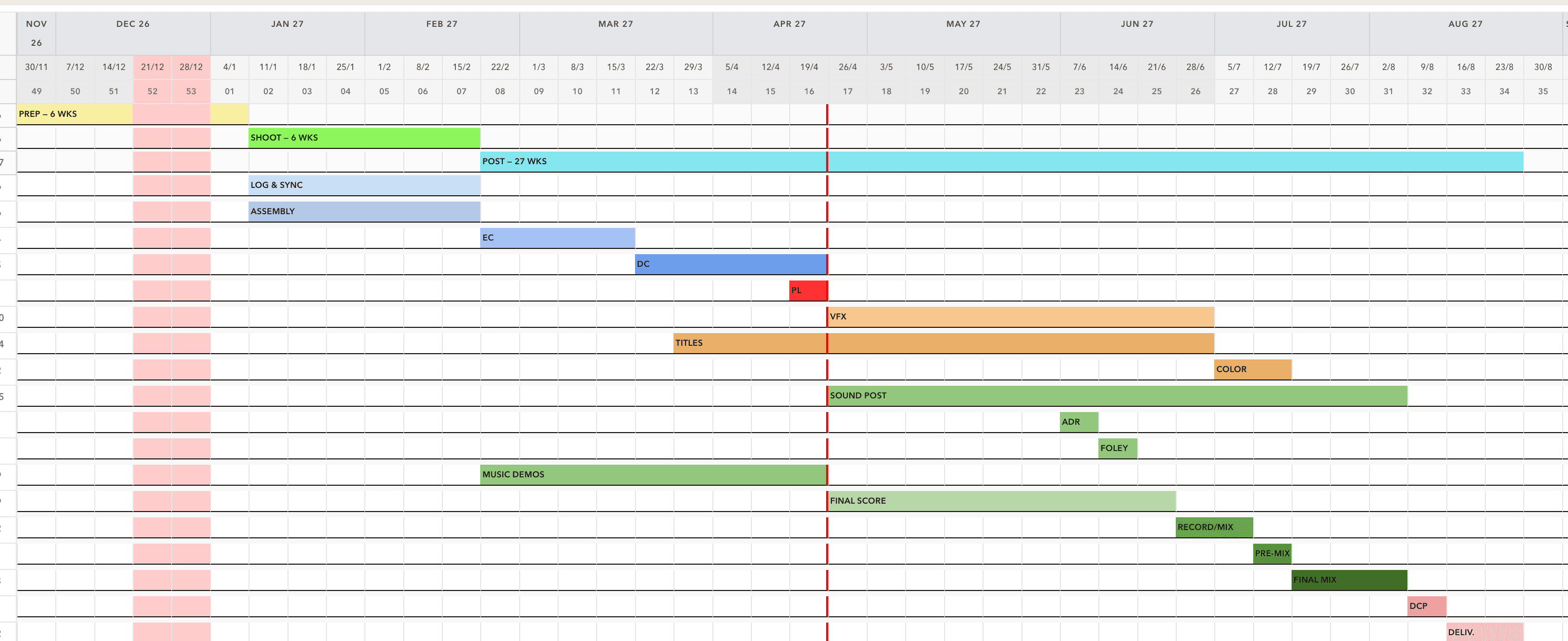
Build a production timeline from critical assumptions, then refine the plan directly on the schedule page. Adjust timing, breaks, delivery direction, and creative scope in one place.
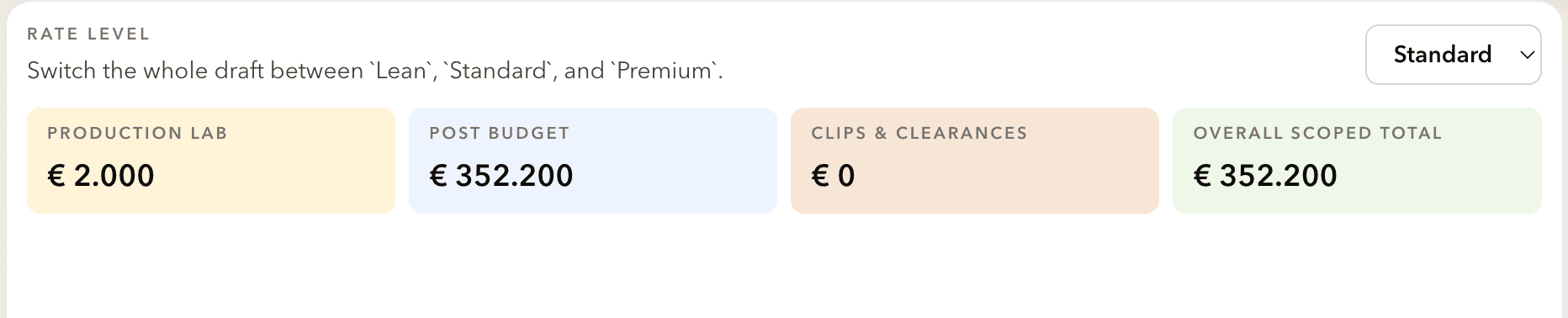
Use the same assumptions to produce a grounded budget draft. See how scope, timing, and post spend interact, then decide whether the project needs a more detailed, production-specific schedule or budget.
Ready to try it?
Once the ballpark is clear, the next step may be a more detailed, production-specific schedule or budget. That is where the tool ends and expert support can begin.